Intent in.
Software out.
Label a GitHub issue. AI agents triage, plan, implement, review, and merge it.
You watch it happen and chat back to adjust.
Everything you need for autonomous development
From issue triage to merged PR. A complete pipeline of specialized AI agents working in concert.
Scalable Claude Workflow
Runs Claude CLI agents in Docker containers with git worktrees, slash commands, and hooks. Full isolation per agent with resource limits and network security.
Repo Prep
Ensures tests, CI, linting, and other hygiene processes are in place. HydraFlow leverages your existing quality gates to guarantee accurate, high-quality output.
Autonomous Triage
Full TriagePhase with title/body quality checks, duplicate detection, and manifest analysis. Auto-detects languages, build systems, test frameworks, and CI before promoting.
Intelligent Planning
A read-only agent explores your codebase, understands architecture, and posts a detailed implementation plan as an issue comment.
TDD Implementation
Tests are written first. Quality gates enforce passing tests before creating PRs.
Automated Review
A dedicated review agent checks correctness, style, and test coverage, then submits formal GitHub PR reviews.
CI/CD Integration
Monitors CI checks in real-time. Automatically retries on transient failures and auto-merges approved PRs when all checks pass.
Human-in-the-Loop
When agents hit walls (ambiguous requirements, failing CI, hard merge conflicts) issues escalate to hydraflow-hitl for human guidance. You stay in control.
Agent Memory
Agents learn from past runs. A persistent memory system with digest compaction extracts patterns and feeds them back into future sessions.
Crash Recovery
JSON-backed state persistence tracks every in-flight issue. If HydraFlow restarts, it picks up exactly where it left off. No lost work.
Merge Conflict Resolution
A dedicated MergeConflictResolver uses agent-assisted fixing to resolve conflicts automatically. Only hard conflicts escalate to HITL.
Metrics & Analytics
15+ counters tracking cycle time, success rates, agent costs, and throughput. Full observability into your autonomous pipeline.
Post-Merge Retrospective
After merge: acceptance criteria verification, retrospective analysis, epic progress checking, and structured learning extraction.
How it works
A label-driven pipeline that takes an issue from discovery to merged PR.
You + Claude
File an issue with context. Claude scans for duplicates.
Orchestrator
Evaluates readiness and promotes labeled issues
PlannerRunner
Explores codebase, posts implementation plan
AgentRunner
TDD implementation in isolated worktrees
ReviewRunner
Code review, CI monitoring, fixes
Auto-merge
Approved PR merges when CI passes, with human UAT criteria attached
Human-in-the-Loop
CI failures or ambiguity escalate to hydraflow-hitl
You + Claude
File an issue with context. Claude scans for duplicates.
Orchestrator
Evaluates readiness and promotes labeled issues
PlannerRunner
Explores codebase, posts implementation plan
AgentRunner
TDD implementation in isolated worktrees
ReviewRunner
Code review, CI monitoring, fixes
Auto-merge
Approved PR merges when CI passes, with human UAT criteria attached
Human-in-the-Loop
Escalates when agents need help
See it in action
Watch an issue flow through the entire pipeline, from triage to merged PR.
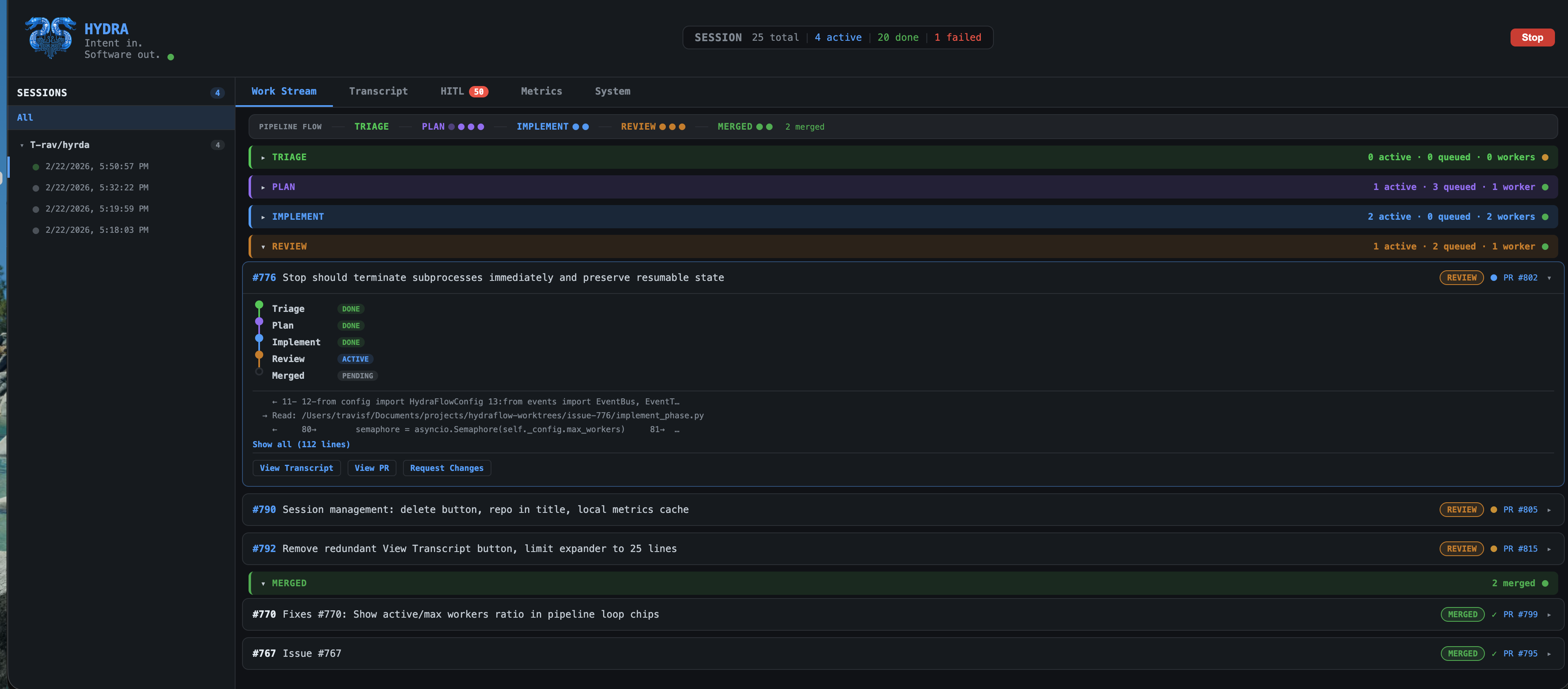
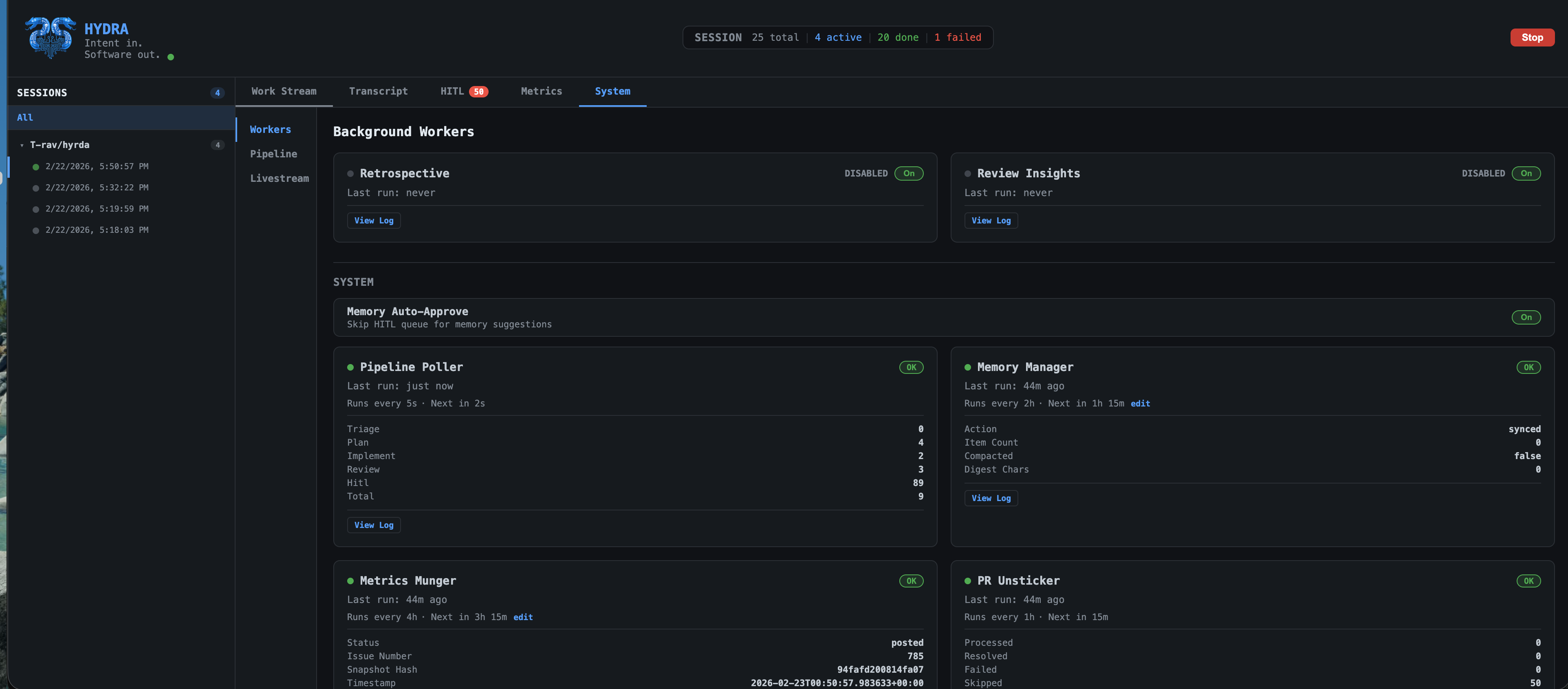
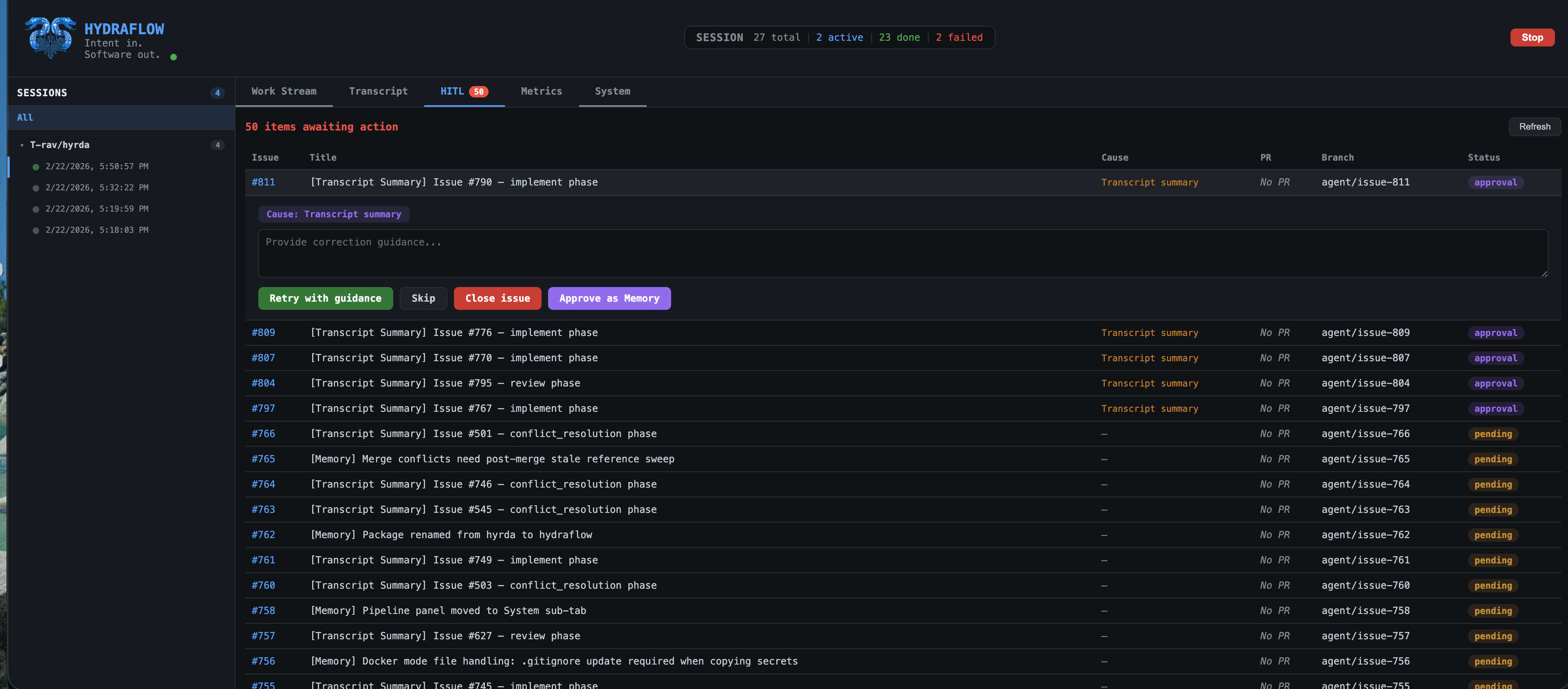
The dashboard
Real-time visibility into every issue, agent, and pipeline stage.
Work Stream
System Workers
Human-in-the-Loop
HydraFlow builds HydraFlow
Every feature, bug fix, and improvement to HydraFlow is triaged, planned, implemented, and reviewed by its own agents.
From zero to building itself in 3 days using Vibe-to-Value™ methods.
Get started in 4 steps
From zero to autonomous development in under 5 minutes.
Clone & Install
# Add HydraFlow as a submodule
git submodule add https://github.com/T-rav/hyrda.git hydra

# Install git hooks (pre-commit, pre-push)
make setupPrep Your Repo
# Create pipeline labels on your GitHub repo
make prep

# Ensure your repo has tests, CI, and linting in place
# HydraFlow leverages these quality gates for accurate output
make quality # lint + typecheck + testConfigure
# Set up environment variables
cp hydra/.env.example hydra/.env
# Edit .env with your GitHub token and Anthropic API keyRun & Label
# Start HydraFlow (backend + dashboard)
make run
# Dashboard at http://localhost:5556

# In Claude Code, create an issue with a slash command
/gh-issue "make the text pink"